A phone-Salesforce integration lets your team call, text and dial from inside Salesforce, with every conversation logged to the record automatically. To connect your phone to Salesforce you use a calling app that embeds in your Salesforce org – the strongest ones are native and two-way, so click-to-dial, texting and call history all live on the Salesforce record instead of in a separate tool. Done well, it removes double data entry, speeds up follow-up and keeps full context on every lead.
Here is what the connection actually is, how to set it up, how it works under the hood, and the problems it solves.
What is a phone-Salesforce integration?
A phone-Salesforce integration connects your calling to your CRM so the two work as one. There are two very different versions of it:
- Bolted-on (one-way). A separate calling tool pushes a basic call log into Salesforce after the fact. Your team still works in two places and re-enters outcomes by hand.
- Native and embedded (two-way). The dialer lives inside Salesforce. You click a number on any record to dial, inbound calls pop the caller on screen, and every outcome, recording and note writes back to the record in real time.
The second kind is what people mean by a “deep” integration, and it is the one worth having. smrtPhone, for example, is embedded directly inside Salesforce rather than sitting beside it.
How to connect your phone to Salesforce
Connecting your phone to Salesforce is straightforward when you pick an embedded option. The steps are the same in principle for any team:
- Choose an embedded, two-way integration. Prioritise one that runs inside Salesforce and syncs both directions, not a connector that only exports a call log.
- Enable it in your Salesforce org. Whoever administers your org installs and turns on the integration once. With smrtPhone’s Salesforce integration this is a one-time setup.
- Connect your numbers and users. Assign phone numbers and add your team so calls and texts route correctly.
- Map click-to-dial and logging. Confirm phone numbers on leads, accounts and opportunities are clickable, and that calls and notes log back to the record.
- Turn on texting and the power dialer. Add SMS from the record and a multi-line power dialer for higher-volume outbound.
Because an embedded integration runs on Salesforce itself, there is no separate system to maintain once it is live.
How the integration works under the hood
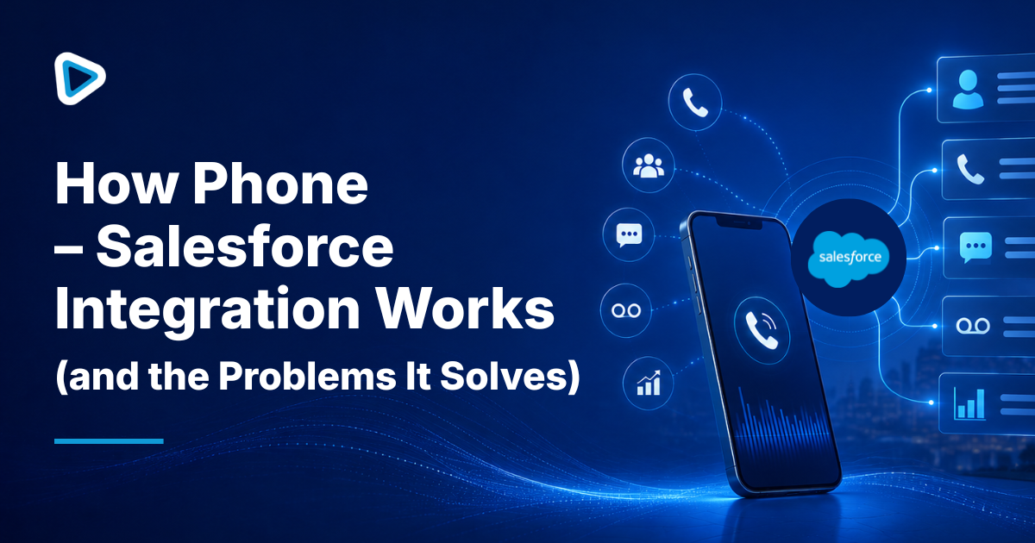
Once connected, a deep integration works quietly in the background. When you click a number on a Salesforce record, the embedded dialer places the call and starts tracking it. Notes you take during or after the call log automatically, and the disposition and recording attach to the record. Inbound calls trigger a screen pop with the caller’s details, and any number that is not already in your CRM can be saved as a new lead without leaving the call.
The key idea is that data flows two ways: Salesforce tells the phone who you are calling, and the phone tells Salesforce what happened. Add inbound call flows and texting, and every touch – inbound or outbound, call or SMS – lands on the same timeline on the record.
The problems a deep integration solves
Connecting your phone to Salesforce is not about tidiness for its own sake. It fixes concrete problems that cost deals:
- Double data entry. Reps stop re-typing call outcomes into the CRM, because logging is automatic.
- Slow speed-to-lead. Follow-up can trigger the moment a call ends, and contact rates fall sharply after the first few minutes, so speed matters.
- Lost context. The full history of calls, texts and notes sits on the record, so anyone picking up the conversation knows what came before.
- Blind reporting. Call activity becomes part of Salesforce reporting, so you can see what is actually driving pipeline.
Doing it with smrtPhone
smrtPhone is an Agentic Conversation Platform embedded directly inside Salesforce, so it delivers the native, two-way version of everything above: click-to-dial on every record, automatic logging, screen pops, texting, and the smrtDialer power dialer – plus AI agents that can handle inbound calls and first-touch follow-up and hand off to a person with full context.
If you run Salesforce – or a Salesforce-based investor CRM – see how the Salesforce integration works, read our roundup of the best Salesforce phone integrations for real estate investors, or compare plans on our pricing page.