
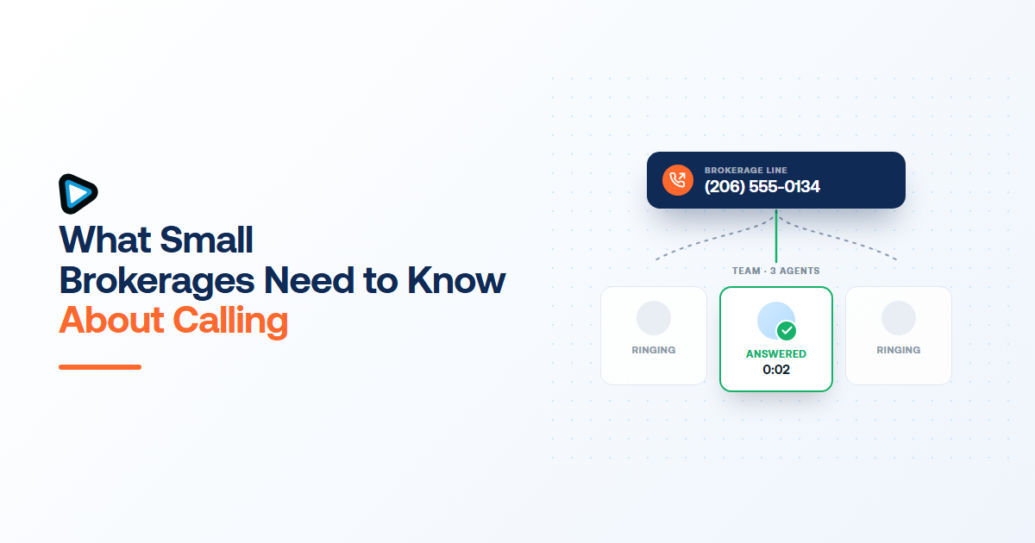
A brokerage buying a calling platform is usually shown a demo built for a sales team, and the two are not the same thing. Sales teams have reps who all do the same job on the same list. A brokerage has agents – independent, mobile, working their own pipelines, and sometimes leaving. That difference changes three decisions, and getting them wrong is expensive in a way the pricing page does not warn you about.
Those three: who owns the phone number, how a new lead reaches whoever is free, and what happens when agents work from their own phones. Everything else is comparison shopping.
Why a brokerage is not a sales team
Reps share a list and a manager. Agents own their relationships, and a proportion of them will leave every year – that is normal, not a failure. So a brokerage is really buying two things at once: a way for agents to work, and a way for the business to keep what agents build while they are there.
Most calling platforms are designed for the first and silent about the second. That silence is where brokerages get hurt.
Who owns the number when an agent leaves
Buy numbers on the brokerage account and assign them to agents. Never the reverse.
When a number is purchased on the account, an agent uses it but the business holds it. If they leave, you reassign the number to whoever takes over – the line keeps ringing, the call history stays where it is, and every past client still dialing that number reaches the brokerage. Remove the agent’s seat and their access ends with it.
Set it up the other way – agents using numbers they personally own – and each departure removes a working phone line and the relationships attached to it. There is no technical fix after the fact. If you already run that way, porting existing numbers onto the brokerage account is the migration worth doing before your next hire, not after your next resignation.
Getting a new lead to the right agent
The mistake here is pointing the brokerage’s main number at one person. Buyers do not wait – a missed call is a call to the next brokerage on the search results.
Route the number to a Team rather than an individual, so it rings the group and whoever is free picks up. In smrtPhone that is built as a Call Flow: you assemble the routing in the drag-and-drop Flow Builder under Admin, then assign the inbound number to that flow. If buyers and sellers need different handling, a phone menu goes in front to split them before the call rings anyone.
Two things worth deciding while you build it. Where a call goes when nobody answers – a shared voicemail somebody actually checks, not an agent’s personal one. And whether after-hours inquiries go to voicemail or to an AI agent that can qualify the lead and book the callback, because evening and weekend inquiries are exactly when a brokerage phone goes unanswered.
When agents call from their own phones
They will, so plan for it rather than fighting it. The question is only which number the client sees.
An agent working through the mobile app dials with a number assigned to them on the brokerage account, so the client sees the business line whatever handset is in the agent’s hand. Their personal number stays private, and the call still belongs to the brokerage. An agent can verify and use a personal number instead if they want to, but for a brokerage the useful direction is the other one.
Two details that catch brokerages out. The account owner can set caller ID for members centrally and delegate that through permissions – worth doing, or agents will each pick their own. And CNAM registration, which puts your business name on outbound caller ID, is capped at 15 characters including spaces. Most brokerage names do not fit, so decide deliberately how yours abbreviates rather than letting it be truncated for you.
What it costs at 5 to 25 agents
Seats are the easy part: $29 per seat per month, or $24 billed yearly. Ten agents is $290 a month, $240 annually. Twenty-five is $725, or $600 annually.
Add-ons are what actually move the bill, and this is where brokerages overbuy. A CRM connection is $20 per seat; recording storage, advanced calling and deeper analytics are each separate. At ten agents an add-on you do not need is $200 a month of nothing. Start with the seat, run a month, and add only what the workflow demonstrably uses.
One honest note on fit. Our documented CRM integrations are built around investor platforms – Podio, Salesforce, InvestorFuse, DataSift, Carrot, Forefront, Realeflow. If your brokerage runs on Salesforce, that is a deep integration. If you run on a brokerage-specific platform, check the integrations list for it by name before you commit, because we would rather you find that out now than during a trial.
What to ask before you sign
Five questions, in the order that matters for a brokerage rather than a sales team.
- Are numbers bought on the account and assigned to people? If an agent’s number belongs to the agent, keep looking.
- Can an inbound number ring a group? Not just one person with voicemail behind them.
- What does the client see when an agent calls from their own phone? It should be the brokerage number.
- What happens to the call history when someone leaves? It should stay on the record, on your account.
- Which add-ons are actually required for the workflow you just described – priced per seat, multiplied by your agent count.
If you want to see how this is set up in practice, the real estate calling setup covers numbers, routing and the mobile side in one place.